



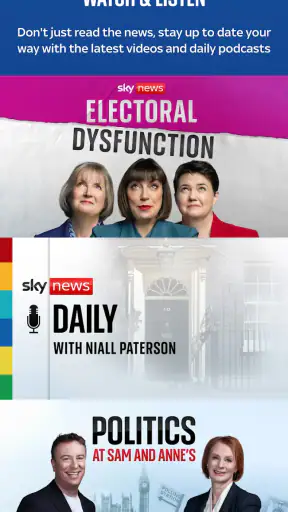
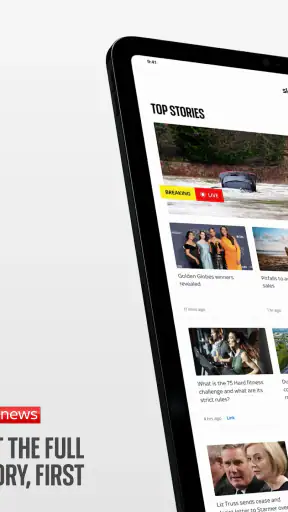
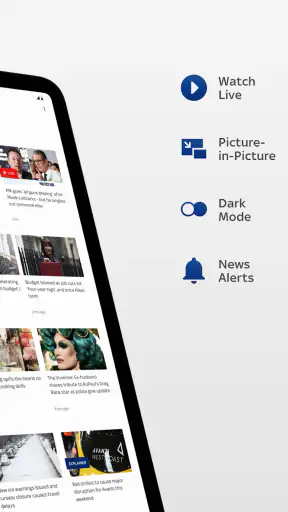
When I want a quick sense of what is happening in Britain or around the world, I usually begin with my phone rather than a television bulletin. Sky News: Breaking, UK & World fits that habit well: it is a free news and magazines app from Sky UK Limited that brings a familiar news service into a compact mobile workflow. I open it with a question in mind, scan the latest coverage, follow the story that matters, and then decide whether I need a deeper source before sharing or acting on it.
That distinction matters. This is not simply a digital newspaper that I read from front to back. I found it more useful as a starting point for staying oriented during a busy day. Its store summary promises the full story first, wherever I get my news, and my experience is that the app works best when I treat it as a fast news hub rather than the only place I go for context. It can help me notice an important development quickly, but careful readers still need to slow down when a headline affects a serious personal or financial decision.
From a sudden update to a clearer picture
Starting with the moment I need information
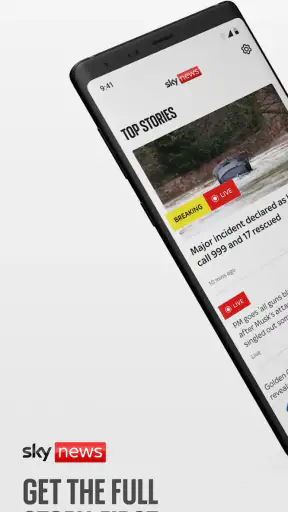
My most realistic use case is an ordinary morning when I have only a few minutes. I open the app while preparing to leave, look through the current news, and use the most prominent stories to decide what deserves attention later. That is a different job from settling down with a long article. The app is valuable because it reduces the effort needed to find the day’s main developments, especially when I do not yet know the exact wording to search for.
The same workflow works during a developing event. If a major political announcement, international incident, transport disruption, or public safety story is unfolding, I want an initial report that tells me what has changed. Sky News is well suited to that first check. It gives me a direct route into current coverage instead of making me assemble a picture from social posts, search results, and several unrelated websites.
I also appreciate that the app sits in the news category rather than trying to be a general social platform. The purpose is clear when I launch it: read or watch news, move between subjects, and return when something changes. That focus makes it easier to build a small routine around the app. I can check it once before work, again during a break, and once more in the evening without needing to remember a complicated system.
Reading the first report without stopping there
My next step is to separate the headline from the useful detail. A headline answers “what may have happened,” while the article helps answer “what is known, who is involved, and why should I care?” I try not to treat the first line as a complete conclusion. Instead, I open the story, read beyond the opening paragraph, and look for the parts that explain the development rather than merely announce it.
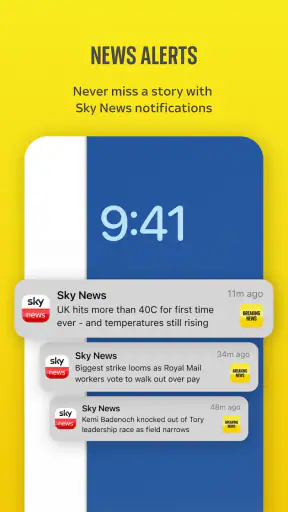
This is one of the app’s practical strengths: it lowers the barrier between noticing a story and examining it. A breaking-news notification or prominent item can be useful as an alert to investigate, but the real value comes from following the story into its fuller presentation. For me, that turns a brief glance into a more responsible reading habit.
A useful tip is to read the article before passing it to someone else. News apps make forwarding feel effortless, and that can encourage people to share a headline without understanding its limits. With Sky News, I get better results when I use the first report to establish the basic facts, then wait for later coverage if the situation is changing quickly. That small pause is especially important when early information is incomplete.
Moving from one section to another
News rarely arrives in neat categories. A UK story can have international consequences, and a world event can affect local conversations. I found the app most helpful when I moved between subjects instead of staying locked into one stream. That lets me connect the immediate update with the wider background, although it also means I need to control my attention so that a long session does not become a sequence of unrelated headlines.
For a reader who follows public affairs, the app can become a daily briefing tool. For someone interested in global events, it offers a convenient way to check beyond local coverage. For a casual reader, the same range may feel like too much. The right approach depends on whether you want a quick overview or a carefully organized reading list. I would not use it as a replacement for a specialist publication when I need deep reporting on one narrow field.
Using the information in an everyday decision
The outcome of my workflow is not simply that I have opened an article. I want to leave with a clearer idea of what requires action, what can wait, and what needs confirmation. For example, if I am deciding whether a family member should change travel plans, I can use the app to identify the developing issue and understand the broad situation. I would still check the relevant official source for the final operational detail, because a general news report is not the same thing as a personalized instruction.
That is an important handoff. Sky News can take me from uncertainty to awareness, but it does not remove the need for judgment. The app is strongest at the beginning of the information chain: alerting me, explaining the main development, and helping me decide where to look next. It is less suitable as the sole authority for medical, legal, financial, travel, or emergency decisions.
Passing a story to another person
When I share a story, I try to pass along the article rather than a cropped headline or a sentence copied from a notification. The recipient may have a different level of background knowledge, so I add a short explanation of why I think it matters. This makes the handoff more useful and reduces the chance that the story will be misunderstood outside its original context.
There is also a personal handoff from the app to my own notes and conversations. I might read a report in the morning, mention it to a colleague later, and return to the subject in the evening. In that situation, I need to remember that the story may have developed since my first reading. A news app encourages repeated checking, but repeated checking is only helpful when I compare what has changed rather than rereading the same headline automatically.
What the app does well in this workflow
The biggest success is speed without making the experience feel completely empty. I can use it to form an initial map of the day’s news, then choose which roads to follow. That is more practical for me than opening several newspaper sites one after another. The service also benefits from the recognition attached to Sky News, which makes it an obvious destination for people who already know its reporting style.
Its scale suggests that this workflow is not limited to a small group of enthusiasts. The app has passed five million installs and holds a 4.1 average from around fifty-eight thousand ratings. I read those figures as evidence of broad everyday use, not as proof that every reader will enjoy the same experience. A popular news app can still be the wrong match for someone who wants a quieter, highly customized reading environment.
Another useful insight is that the app works particularly well as a “first pass” tool. I would open it when I have no time to plan my reading, use it to identify the important subjects, and then move to a specialist source for technical depth. That division of labor is more realistic than expecting one mobile app to provide breaking updates, long investigations, local detail, expert analysis, and official instructions equally well.
Where the handoff becomes less comfortable
The same immediacy that makes breaking coverage useful can make it tiring. A steady flow of urgent stories may encourage me to check the app more often than necessary, especially when several headlines concern the same event. I have to set my own stopping point. If I keep refreshing without a specific question, I often gain more anxiety than understanding.
There is also a difference between being informed and being well informed. A fast article may give me the outline of an event while leaving important history, competing interpretations, or local consequences for later coverage. Readers who prefer long-form reporting may find the mobile news cycle too compressed. In that case, a newspaper app, magazine subscription, or specialist publication may be a better second step.
Another limitation is that a broad news service cannot tailor every story to my exact interests. I may encounter subjects I do not care about while looking for one particular update. That is a fair trade-off for a general news destination, but it means the app is not ideal for someone who wants only technology, sport, business, or regional reporting. A dedicated source will usually offer a more focused experience.
Practical questions before installing
The app is free, so the main question is not whether it fits a subscription budget but whether its style of news consumption fits my day. I would recommend it to someone who wants a convenient way to check UK and international developments, especially if that person values quick orientation and recognizable general coverage. I would be more cautious about recommending it to a reader who dislikes frequent breaking-news emphasis or wants every story presented with extensive background.
It is aimed at everyone aged ten and over, which makes it approachable for households with older children, although I would still decide case by case whether a particular breaking story is suitable. The age label does not replace parental judgment when coverage involves violence, disasters, conflict, or distressing events.
On Android, the current version is 6.21.0 and it requires Android 9 or later. That makes checking compatibility worthwhile before installing on an older phone. The app has been available since July 2016, so it is not a brand-new experiment; it has had time to become an established mobile destination. I still judge it by the current experience rather than by its age, because news habits and expectations change quickly.
If I already receive news through a browser, the app is most useful when the convenience of a dedicated mobile entry point changes my behavior. If I never want alerts, quick updates, or a broad news mix, the browser may be enough. Conversely, if I need local council reporting, industry analysis, or a carefully curated reading queue, I would pair this app with a more specialized alternative rather than expecting it to cover every need.
My final result after using it regularly
After following the full workflow, I see Sky News as a practical front door to current events. I start with a question or a sudden headline, open the relevant report, move through related coverage, and decide whether the information is sufficient or needs a handoff to an official or specialist source. That process is quick, understandable, and useful on ordinary days when I want to stay aware without building a personal news system from scratch.
My recommendation is to use it as a reliable starting point, not as a substitute for every other source. It earns a place on my phone because it helps me find the important story quickly and gives me enough initial context to choose my next step. Its weaknesses appear when I need deep specialization, a calm reading environment, or definitive instructions for a personal situation.
For readers who want free access to a broad UK and world news service, the app is an easy choice to try. For readers who prefer deliberate long-form journalism or a tightly filtered subject feed, a different news app may serve them better. In my experience, the best result comes from treating Sky News as the first link in an information chain: notice the change, understand the outline, verify what matters, and then act with a clearer head.


